
Hello everyone!
We explored tokenizers—tools that divide text into units called tokens.
In today’s post, we’ll dive into the concept of word embedding, using a machine learning model called Word2Vec, which focuses on word-level embeddings.
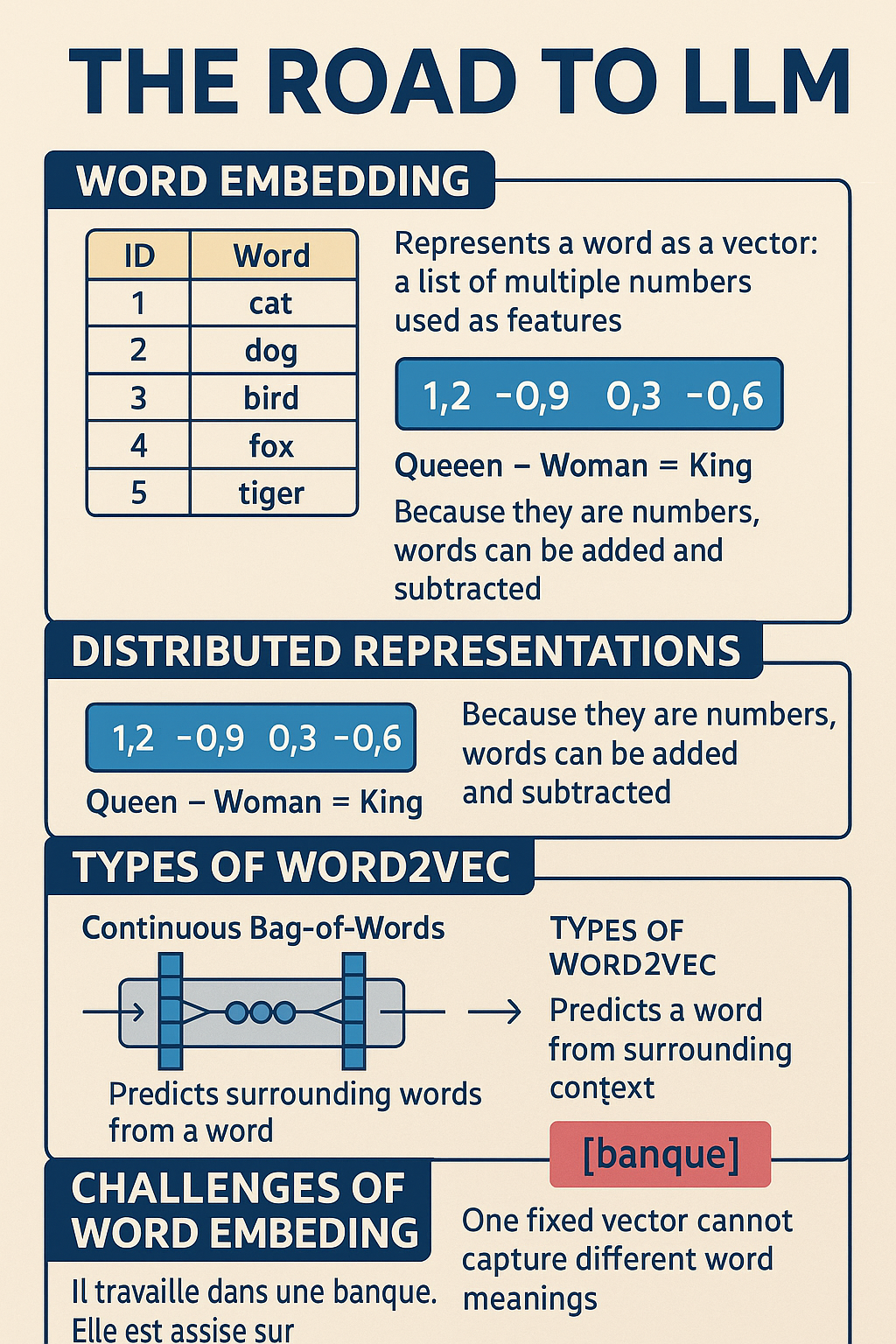
What Is Word Embedding?
Simply put, it looks like this:
| ID | Word |
|---|---|
| 1 | cat |
| 2 | dog |
| 3 | bird |
| 4 | fox |
| 5 | tiger |
In the table above, ID 1 corresponds to the word “cat.” This is a simplified example to illustrate how words can be represented numerically.
Word2Vec uses distributed representations to process words as numerical vectors. That means each word is represented by a vector—a group of numbers that uniquely identifies it.
Representing a set of words in this way is what we call embedding.
Types of Word2Vec
There are two main types of Word2Vec models. Here’s a quick overview to help you understand the code better when using pre-trained models:
Continuous Bag-of-Words (CBOW)
- Predicts the target word based on surrounding context words.
- The surrounding range is called the window size.
- Uses a neural network.
- The term « Bag » refers to a multiset, meaning a set where duplicates are allowed.
Skip-Gram
- Predicts surrounding words given a single center word.
- Also uses a neural network.
- This is essentially the reverse of CBOW.
What Can We Do with Distributed Representations?
As we mentioned earlier, distributed representations are numeric vectors. Since they’re numbers, we can add and subtract them—allowing for arithmetic with words.
For example:
Queen – Woman = King
This is called additive compositionality.
Let’s Try Out Word2Vec!
We’ll be using Google Colab (CPU runtime) to run our code.
We’ll use a pre-trained French Word2Vec model available from Facebook.
Download the Model
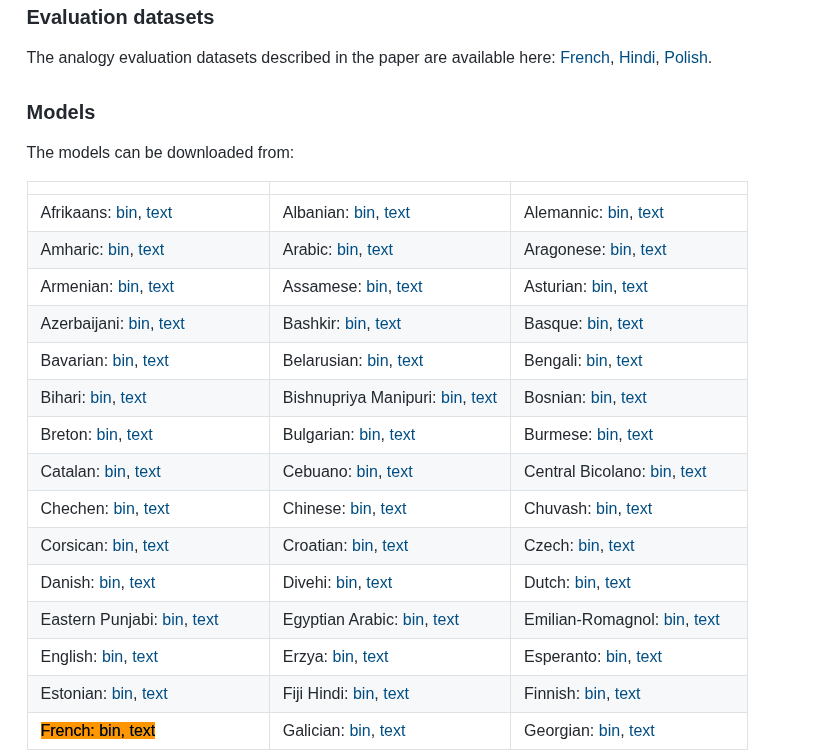
Facebook provides fastText pre-trained models for many languages, including French.
To download the French model, go to the link below and click on “text” next to “French”:
Upload to Google Drive
After downloading the model file (e.g. cc.fr.300.vec.gz), upload it to your Google Drive.
Load the Model in Google Colab
Let’s start with linking Google Drive:
from google.colab import drive
drive.mount('/content/drive')
Follow the instructions on the screen to grant access.
Now, load the model (adjust model_path to match the location of your file):
from gensim.models import KeyedVectors

model_path = '/content/drive/MyDrive/<your-path>/cc.fr.300.vec.gz'
word2vectors = KeyedVectors.load_word2vec_format(model_path, binary=False)
Model loading takes about 8 minutes.
Trying Word2Vec in Action
Now that the model is ready, let’s try using it:
# Word subtraction example
result_vector = word2vectors['Paris'] - word2vectors['capitale']

# Get similar words
similar_words = word2vectors.similar_by_vector(result_vector, topn=5)

# Display results
print("Similar words to the result of Paris - capitale:")
for word, score in similar_words:
    print(f"{word}: {score}")
Output Example:
Similar words to the result of Paris - capitale:
Paris: 0.403
Lyon: 0.316
Marseille: 0.309
Toulouse: 0.300
Nice: 0.283
All of these are major French cities—pretty cool, right?
You can experiment by changing the words used in result_vector. Give it a try!
Challenges of Word Embedding
While Word2Vec is powerful, it has limitations.
Each word has a single fixed vector, so it doesn’t account for context. For example:
- Il travaille dans une banque. (a financial institution)
- Elle est assise sur la banque du fleuve. (a riverbank)
The word “banque” has different meanings depending on context. Traditional embeddings give it only one fixed vector, so they can’t distinguish between these uses.
To solve this, newer models use contextual word embeddings that adapt the meaning of a word based on the sentence.
Conclusion
Today, we covered the basics of word embedding and explored a real Word2Vec model with simple code examples.
Tomorrow, we’ll move on to contextual word embeddings. Stay tuned!
Thanks for reading, and see you next time!
 Bilel KLED